Building My First Agent - From Idea to Live POC in One Session
How I built an AI Product Decision Agent that researches product questions and produces structured decision briefs.
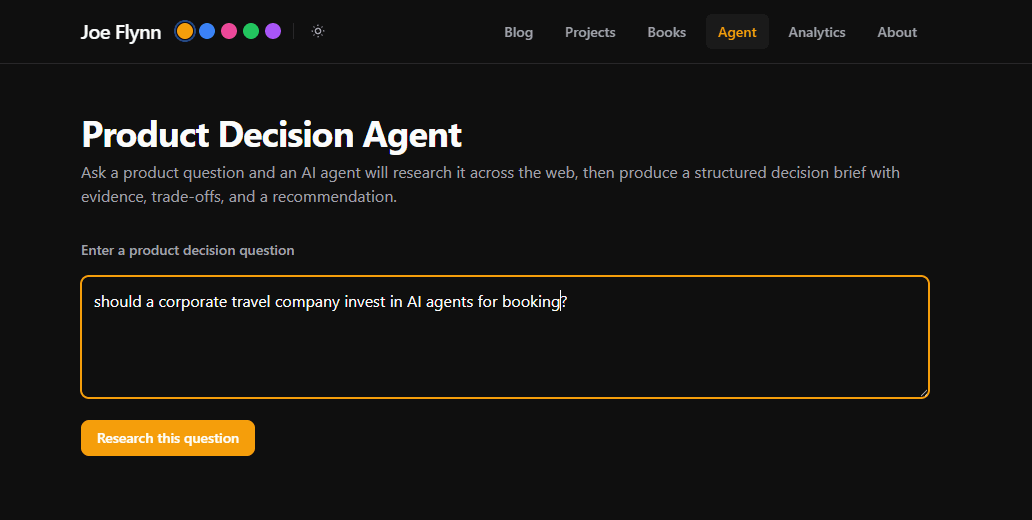
I build things to learn. This time, I wanted to understand what an AI agent actually is. So I built one. "Product Decision Agent" takes a question like "Should a corporate travel business invest in AI booking agents?" and autonomously researches it across the web, then produces a structured decision brief with evidence, trade-offs, and a recommendation.
You can try it live here. Fair warning, it's rate-limited to 3 queries per day per person because each run costs me roughly 40 cents in API calls. That's big money when my API account has like ~$7 in it.
Part 1 - What Are We Actually Building?
The Conversation That Started It
This project started with a conversation in the Claude app while I should have been watching the new movie "Send Help" (4/10 popcorns). I wanted to build a simple agent and we brainstormed the options. Initially, two looked good.
I have lots of data that I track. I want to sync more of it automatically to my website. There were options to add an agent into this proposed flow. While actually useful for my tracking, the Agent part here seemed like overkill. I pushed back to Claude and we found agreement - as with many cases in the real business world jumping to AI was not the best solution, standard automations will work better.
The other option was a tool that could help product managers make better decisions by automatically researching a question and presenting the evidence. A structured brief instead of hours of Googling and tab-hoarding. A Perplexity 'light'.
Agent vs. Automation
This is a distinction worth understanding, because the word "agent" is thrown around loosely. Even by me last week in work.
An automation follows a fixed script. Step 1, then Step 2, then Step 3. If you drew it on a whiteboard, it would be a straight line or maybe a flowchart with a few branches. A script that searches Google, summarises each result, and concatenates them into a report is an automation. It's useful, but it can't adapt. It works or errors out.
An agent decides its own path. It has tools available to it and a goal, and it figures out step by step how to get there. It might search for one thing, read the results, realise it needs to search for something else, change approach, and loop back. If you drew it on a whiteboard, each query would be a mess of arrows going in different directions. The same question asked twice won't produce the exact same report.
The Product Decision Agent is a genuine agent because:
- It understands and breaks down the question itself. You give it a question, it decides what sub-questions to research.
- It chooses which tools to use and when. It might search, then fetch a page, then decide that source wasn't useful and search again with different terms.
- It decides when it has enough evidence. There's no hardcoded "do exactly 5 searches." It stops researching when it judges it has sufficient evidence to write the brief. (As you can see below I did have to limit the maximum number of searches for the POC)
- The output structure emerges from the research. The trade-offs table, the confidence level, the caveats, these are shaped by what sources the Agent found and used, not templated in advance.
There is a technical flow to pull this together, something like 200 lines of typescript I can't understand, but the thing that makes the Agent work is the system prompt - the instructions in plain English that tell Claude how to behave.
The System Prompt
Here's the system prompt driving the agent (slightly trimmed):
You are a Product Decision Agent — a senior product strategy analyst
that helps product managers make evidence-based decisions.

When given a product question, you follow a structured three-phase process:

## Phase 1: Decompose
Break the question into 3–4 specific, researchable sub-questions.

## Phase 2: Investigate
For each sub-question:
1. Use web_search to find relevant data, case studies, benchmarks.
2. Use web_fetch to read the most promising result in detail.
3. Use note to record the key finding.

You have a limited tool budget. Aim for ~12 tool calls total.
Do NOT exhaustively research every angle — get the best evidence
efficiently, then move to Phase 3.

## Phase 3: Synthesise
Produce a Decision Brief with: Executive Summary, Key Findings,
Trade-offs table, Recommendation with confidence level,
Caveats & Assumptions, and Sources.

Rules:
- Never fabricate sources or data.
- If you cannot find strong evidence, lower your confidence level.
- Use plain English. The audience is product managers, not engineers.
I'm giving the agent a framework and constraints, not a script. The three phases are guidelines, not enforced code paths. Claude decides how many sub-questions, which sources to dig into, when to stop, and what confidence level to assign. That's the agency. It is also very controllable and editable, essential for simple iterations and testing.
Part 2 - From Python Script to Live Website
Change of Scope
The original spec described a Python CLI tool, this would have been fine for my own use. But I changed my mind, I wanted something I could actually show people on my website. So during the planning phase with Claude Code, we pivoted and rewrote the whole thing in TypeScript and integrated it directly into this website as a new /agent page.
No problem. I ask Claude Code to explain to me the how & why of the steps taken - reading this takes longer than generating the code and redeploying. Man I love this product. Best one this century for me.
This meant using the Vercel AI SDK instead of the Anthropic Python SDK. The AI SDK handles the multi-step agent loop with a single streamText() call - you (or more accurately Claude Code on your behalf) give it tools, a system prompt, and a step limit, and it manages the back-and-forth between Claude and the tools automatically. On the frontend, the useChat hook streams everything to the browser in real-time.
The Three Tools
The agent has three tools available to it:
web_search- Searches the web via Tavily and returns the top 5 results with titles, URLs, and snippets.web_fetch- Fetches a URL, strips the HTML, and returns the first ~4,000 characters of text content. Has a 10-second timeout so a slow site doesn't stall the whole agent.note- A scratchpad. The agent records key findings as it goes, which appear in the timeline UI.
Just the three tools and no complex orchestration code (my API budget can't handle much more anyway). The intelligence comes from Claude deciding how to use them.
Part 3 - Even Opus 4.6 isn't perfect
First Run - It Thinks... Then Nothing
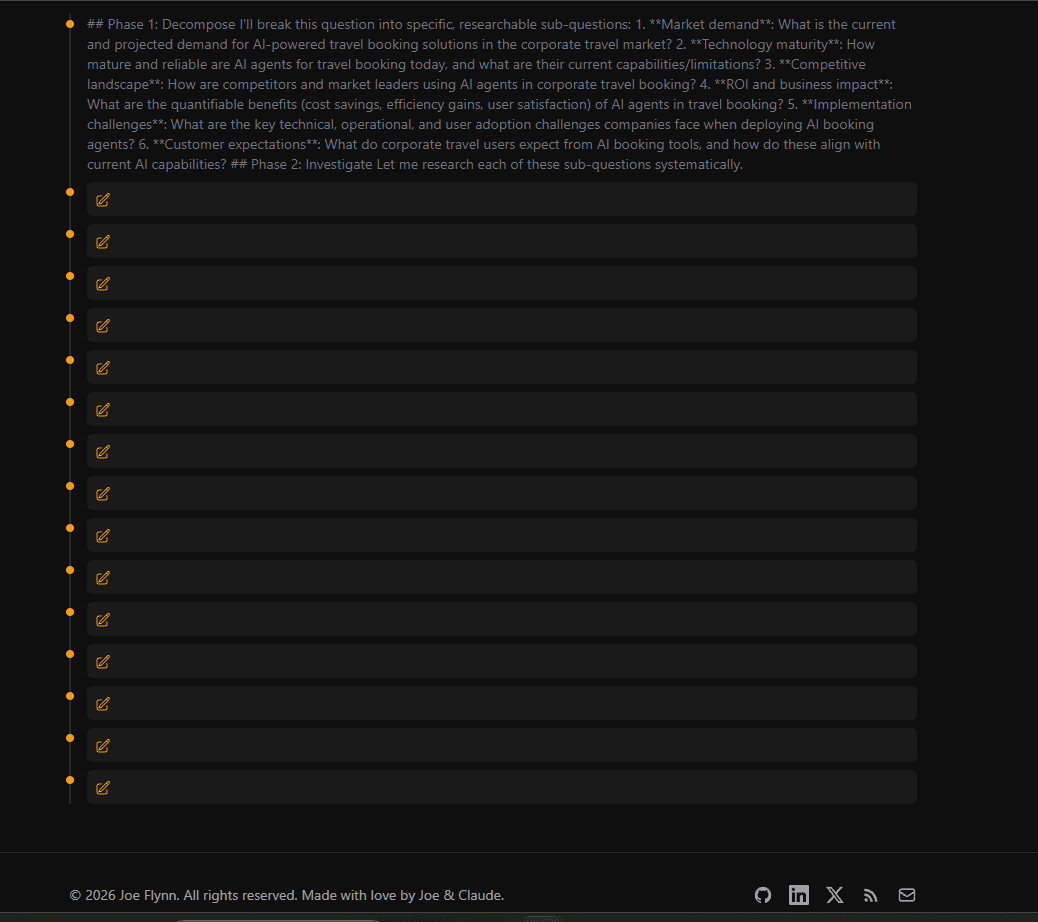
The first test was exciting! The agent clearly did something, it was thinking - I had the hit to my API...but the tool cards were all blank, and it never produced a Decision Brief.
We had two bugs, both caused because our code was written for v3/v4 of the Vercel AI SDK, but in reality they had shipped v6. LLMs, even Claude Code with Opus 4.6, often have this issue. They were trained long before the newer releases and often default to what they know, not what they can search for. Happens often with API addresses. Claude Code can and did deal with it in one fix though.
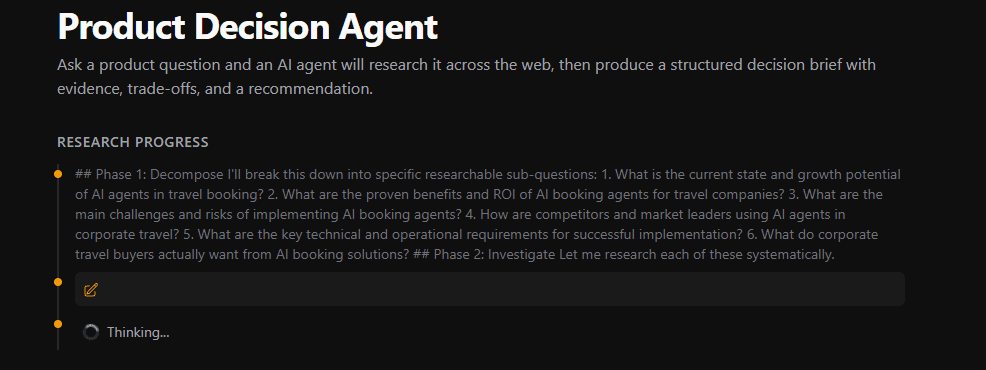
Second Bug - DuckDuckGo Blocks Everything
The original plan used duck-duck-scrape a library that scrapes DuckDuckGo's HTML results. No API key needed, which seemed easy. But in practice, DuckDuckGo immediately detected the automated requests and blocked them:
DDG detected an anomaly in the request, you are likely making requests too quickly.
So we swapped to Tavily in about 10 minutes. Proper API, generous free tier (1,000 searches/month), and it worked.
Third Bug - Running Out of Steps

After fixing the display, the agent would research enthusiastically 6 sub-questions, multiple searches each, and then just... stop. Again, no Brief. It had hit the 15-step limit mid-research, with no budget left for synthesis. (Not to mention hammering my precious API budget.)
Two changes:
- Bump the step limit from 15 to 30
- Constrain the prompt - tell Claude to stick to 3–4 sub-questions and aim for ~12 tool calls total, then move to synthesis.
I learned a real lesson about agents here - resource constraints are important not just task instructions. Without a budget, a good agent will happily research for a long time - certainly too long for my proof of concept.
Part 4: It's Alive
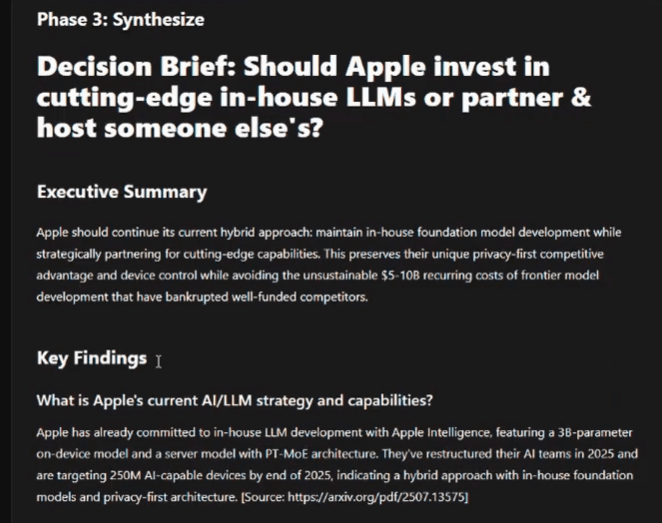
After the fixes, it worked. I had real research outputs - locally. The timeline fills up with search queries, page fetches, and recorded insights in real-time. You can watch the agent think. Then it synthesises everything into a formatted Decision Brief with an executive summary, findings, trade-offs table, recommendation with confidence level, and sources. Magic. I needed to add my API keys to Vercel, deploy again and it was working out there on the world wide web.
Costs & Improvements
Each query costs roughly 40 cents in API calls (mostly Claude Sonnet tokens). That adds up fast on my now-famous $7 budget. I may drop to the cheaper but less effective Haiku once people have tried the agent out - at least for the research part. We implemented a max of 3 queries per user per day, and it is all paid for through my Anthropic API account with spending constraints - $7 in credit and no automatic top-ups. The system prompt is the easiest place for me to iterate to make it better. We could look to add a ranking or assessment of sources too. I could also implement caching on similar questions.
If you're a PM curious about agents, I'd encourage you to build one! Not because you need to become an engineer, but because it's a cool way to understand what agents can and can't do and how they work under the hood. As I have noted elsewhere the technical barrier to building has fallen away dramatically, with Claude Code you can just do things, like this, in 2-3 hours for a few dollars.
Try it here
Tech Stack
| Component | Technology | Why & cost (free if not listed) |
|---|---|---|
| Framework | Next.js 14 (App Router) | Already powers this site |
| Agent orchestration | Vercel AI SDK v6 (streamText + useChat) | Handles multi-step tool loops and streaming automatically |
| Agent LLM | Claude Sonnet 4 via @ai-sdk/anthropic | Strong reasoning, good at following structured prompts. Priced per in/output token |
| Web search | Tavily API | Reliable, no scraping fragility, generous free tier |
| Brief rendering | react-markdown + Tailwind Typography | Lightweight, works with existing site styles |
| Rate limiting | Server-side (per-IP) + client-side (localStorage) | Two layers - Anthropic spending cap as ultimate safety net |
| Hosting | Vercel (Fluid Compute, 300s timeout) | Streaming functions stay alive long enough for the full agent loop |
| Language | TypeScript | Type safety across the full stack |
| Claude App + Claude Code | LLM | Used for brainstorming, all coding, bug fixes. Part of monthly £18 subscription. |